Announcing the Playwright Reporter for TestPlanIt

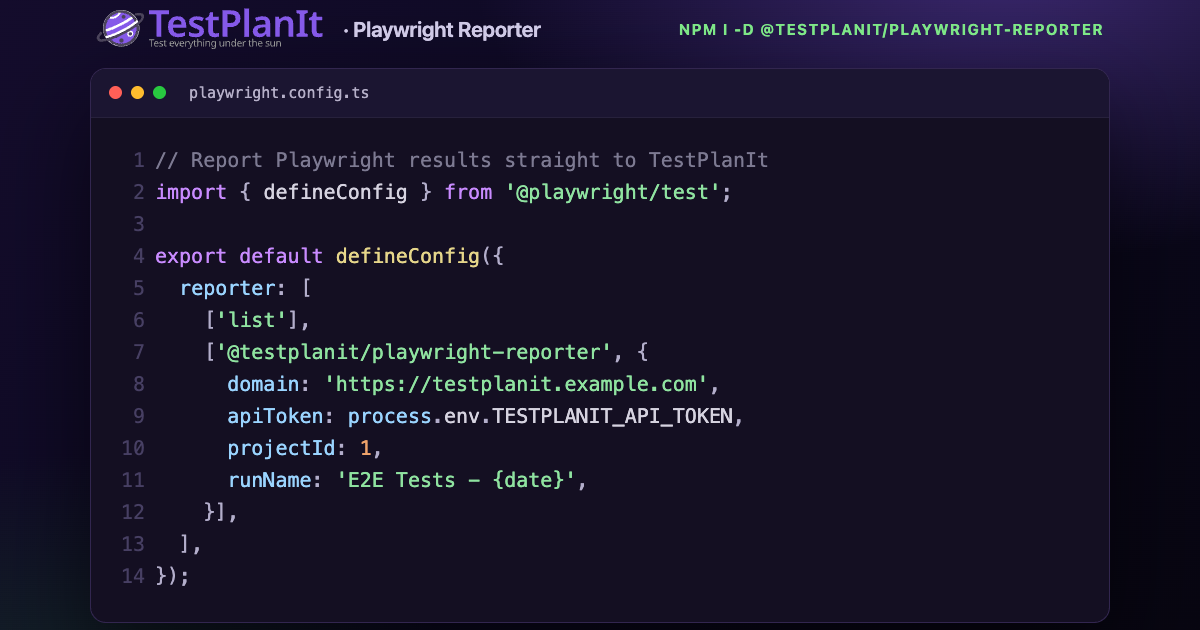
@testplanit/playwright-reporter to your playwright.config.ts — that's the whole setup.We're excited to announce @testplanit/playwright-reporter, an official Playwright reporter that automatically sends your test results to TestPlanIt in real-time.
Why a Playwright Reporter?
Playwright is one of the fastest-growing browser automation frameworks, and it's the engine behind countless teams' E2E suites. Until now, getting Playwright results into TestPlanIt meant exporting JUnit XML and importing it via the CLI. That works, but it adds steps and loses context.
The new reporter pushes results directly to TestPlanIt as your tests run — and because Playwright runs reporters in a single main process, there's nothing extra to wire up. One reporter sees every worker, project, and spec, and reports them all to a single test run. No launcher service, no worker-coordination flags.
Key Features
Real-Time Reporting
Results are sent to TestPlanIt as each test completes. You can watch your test run populate live.
Link Tests to Test Cases — Without Renaming Anything
Established suites shouldn't have to rename every test to [1234] …. Use a Playwright annotation to attach the case ID as metadata and keep your titles clean:
import { test, expect } from '@playwright/test';

test('should login with valid credentials', {
  annotation: { type: 'testplanit', description: '1234' },
}, async ({ page }) => {
  // Links to TestPlanIt case #1234 — no case ID in the title
  await page.goto('/login');
  // ...
});
Prefer tags or titles? Those work too — a @C1234 tag or a [1234] in the title are both matched by the configurable caseIdPattern. Mix and match; the reporter de-duplicates.
Auto-Create Test Cases
Don't want to create test cases manually first? Enable autoCreateTestCases and the reporter will create them for you:
['@testplanit/playwright-reporter', {
  domain: 'https://testplanit.example.com',
  apiToken: process.env.TESTPLANIT_API_TOKEN,
  projectId: 1,
  autoCreateTestCases: true,
  parentFolderId: 'Automated Tests',
  templateId: 'Default Template',
}]
On first run, test cases are created automatically. On subsequent runs, results link to the existing cases.
Attachment Uploads
Playwright already captures rich evidence — screenshots, videos, and traces. The reporter uploads all of it to the matching result, including anything you add with testInfo.attach():
// playwright.config.ts
use: {
  screenshot: 'only-on-failure',
  video: 'retain-on-failure',
  trace: 'on-first-retry',
},
Want to keep uploads lean? Filter with attachmentTypes: ['image/'] to upload screenshots only.
Folder Hierarchy from Describe Blocks
With createFolderHierarchy, your nested test.describe blocks become folders in TestPlanIt:
test.describe('Authentication', () => {
  test.describe('Login', () => {
    test('should login successfully', async ({ page }) => {
      // Creates: Authentication > Login > "should login successfully"
    });
  });
});
Full Retry History
Playwright reports each retry attempt, and so does the reporter — a flaky test that fails then passes records both results against the same case, so you keep the full attempt history.
Quick Start
Install the package:
npm install --save-dev @testplanit/playwright-reporter
Add it to your Playwright config alongside your existing reporters:
// playwright.config.ts
import { defineConfig } from '@playwright/test';

export default defineConfig({
  reporter: [
    ['list'],
    ['@testplanit/playwright-reporter', {
      domain: 'https://your-instance.testplanit.com',
      apiToken: process.env.TESTPLANIT_API_TOKEN,
      projectId: 1,
    }],
  ],
});
Run your tests:
npx playwright test
After completion, you'll see a summary:
[TestPlanIt] Results Summary
[TestPlanIt] ═══════════════════════════════════════════════════════════
[TestPlanIt]   Test Run ID: 123
[TestPlanIt]   Duration: 45.2s
[TestPlanIt]
[TestPlanIt]   Test Results:
[TestPlanIt]     ✓ Passed:  15
[TestPlanIt]     ✗ Failed:  2
[TestPlanIt]     ○ Skipped: 1
[TestPlanIt]
[TestPlanIt]   View results: https://your-instance.testplanit.com/projects/runs/1/123
[TestPlanIt] ═══════════════════════════════════════════════════════════
CI/CD Ready
The reporter works seamlessly in CI/CD pipelines:
GitHub Actions:
- name: Run E2E tests
  env:
    TESTPLANIT_API_TOKEN: ${{ secrets.TESTPLANIT_API_TOKEN }}
  run: npx playwright test
Include build information in your run names:
runName: `Build #${process.env.GITHUB_RUN_NUMBER} - {browser} - {date}`,
Documentation
For complete configuration options, examples, and advanced features like custom case ID patterns, attachment filtering, and milestone/configuration associations, see the Playwright Reporter documentation.
Get Started
The @testplanit/playwright-reporter package is available on npm:
npm install --save-dev @testplanit/playwright-reporter
Get Involved
- Star the repo on GitHub
- Follow @TestPlanItHQ for updates
- Join our Community Discord
- Report issues and suggest features on GitHub
Happy testing!