Generate Test Cases Without Leaving Jira

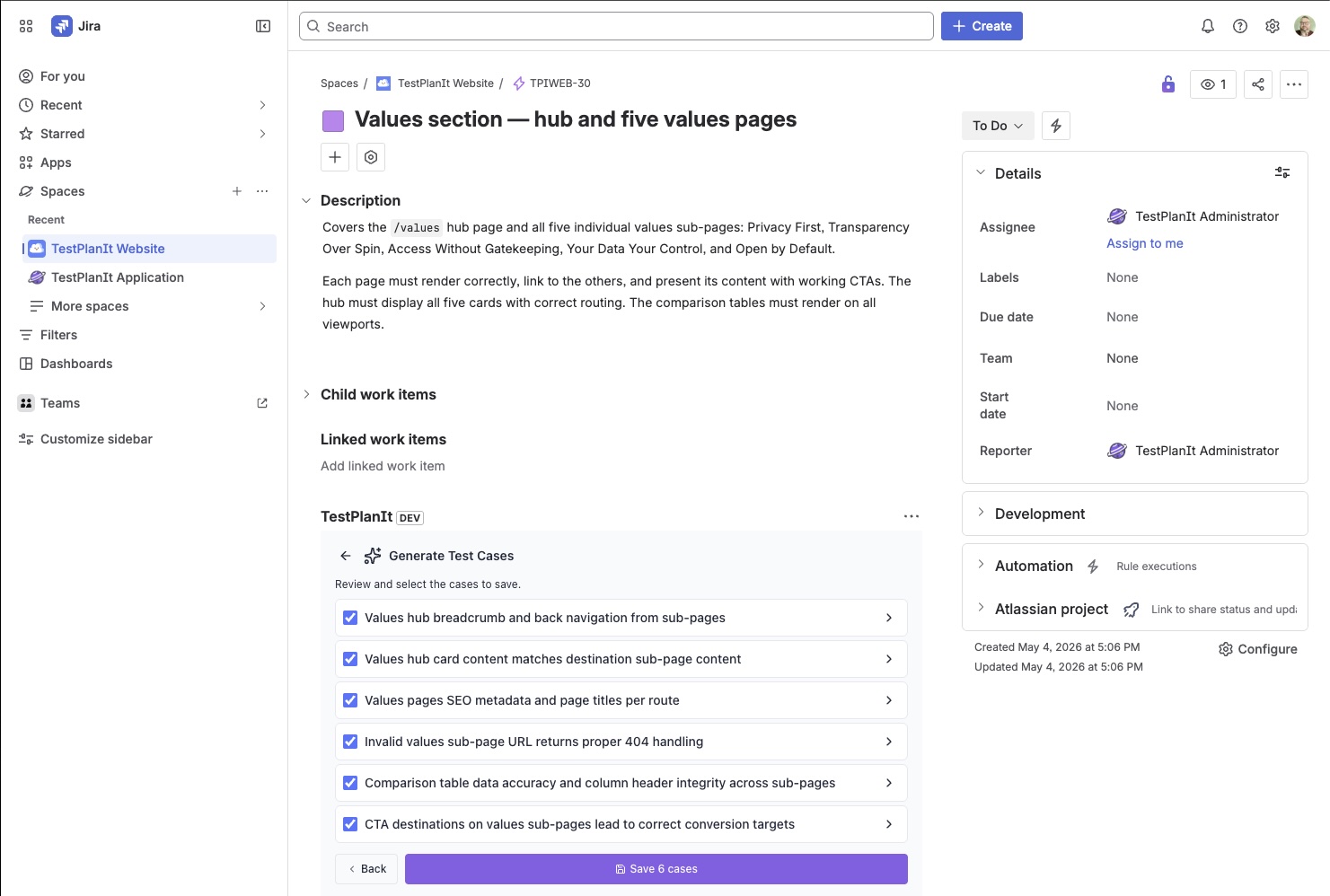
Your team plans and triages in Jira. Now AI test case generation happens there too. The TestPlanIt for Jira app's issue panel has a new Generate Test Cases button: open a ticket, generate a suite of test cases from it, review them as they stream in, and save them straight into TestPlanIt — linked back to the issue — without a single context switch.
Wherever your team works
Not everyone lives in the same tool. Testers and QA leads often spend their day in their test management system; developers, product owners, and the people triaging the backlog spend theirs in Jira. Turning a ticket into test coverage shouldn't depend on which window you happen to have open.
You could already generate test cases from an issue inside TestPlanIt. Now you can do it from the Jira issue panel too — same generator, same results. Whichever tool you're already in, you stay there.
The full engine, in the panel
This isn't a stripped-down sidecar. The panel runs the same generation pipeline as the in-app wizard:
- Your LLM, your data. Generation uses the LLM integration you've configured for the project — bring-your-own OpenAI, Anthropic, Gemini, Azure, or a self-hosted model. Nothing is sent to a third-party AI we picked for you.
- The same rich context. It feeds the AI the issue's title, description, and comments, the linked Jira issues (one hop — Epics, blockers, related tickets) with their own bodies and comments, and the existing test cases in the destination folder so it complements your coverage instead of duplicating it.
- Real permissions, real attribution. The panel maps your Jira account to your TestPlanIt user and enforces your project access. Generated cases are authored by you, not a faceless service account. If your account isn't linked or lacks access, the button simply doesn't appear.
- Live streaming. Cases appear as they're generated, so you can start reviewing immediately instead of staring at a spinner.
Why this is different
Plenty of tools can ask an AI to write test cases. The differentiator is what happens next. Here the output isn't a throwaway block of text you copy somewhere — each case is a first-class test case in your repository: versioned, templated, taggable, linked to the originating ticket, and ready to drop into a test run. The generation happens where the work already is, and the result lands where your test coverage already lives.
That round trip — ticket to reviewed, linked, runnable test cases — happens without ever leaving the issue.
Try it
Install the TestPlanIt for Jira app and start turning tickets into test coverage straight from the issue panel.